
Chats#
The Chats screen shows a list of your active chats on Wusoup!
By default these are sorted by most recent message: 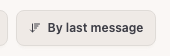
You can change the sort order, show only pinned chats, or filter by whose turn it is to write: 
Searching your chats list#
Use the ... menu to show search.
Search can help you quickly find chats by username, profile text, tags, or recent message text.
Loading more chats#
Wusoup shows your most relevant chats first.
Use Load more at the bottom of your chats list to show additional older chats.
Removing from your chats list#
You generally want to try keep your chats list short, to make it easy to see the folks you're actively chatting with.
Feel free to use Remove from your chats list for chats that are no longer relevant: 
This isn't the same as blocking. If you get a new message in a chat you've removed from your chats list, the whole chat will show up again.
Removing stale chats#
Use the ... menu to remove stale chats. Wusoup will suggest long-dormant chats that can be safely removed from your chats list.
- You'll get a chance to confirm before anything is removed.
- Removed chats will reappear if the user messages you again.